Three invite kinds, all one-time links that expire in 7 days and can be locked to an email: join your workspace, get their own separate workspace, or guest access to ONE project only.
The workspace pill
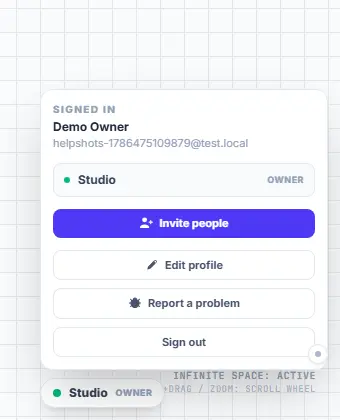
- The pill in the top-right island shows which workspace you are in.
- Click it to switch workspaces, edit your profile (name + job title), invite people, report a problem, or sign out.
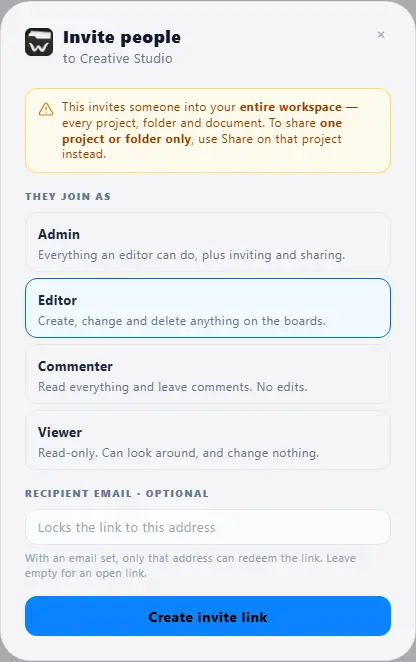
Invite someone to your workspace
- Workspace pill → "Invite people".
- Choose their role: Admin, Editor, Commenter or Viewer.
- Optionally type their email — the link then works ONLY for that address.
- Create the link and send it. It is shown once, works once, and expires in 7 days.
Guest access to one project only
- Open the project’s settings (gear) → "Invite to this project only", or use the share icon on any board row in the sidebar.
- Pick what they can do (viewer / commenter / editor) and create the link.
- The guest sees ONLY that part: its boards and its slice of the calendar. The rest of your workspace does not exist for them.
Works for sub-projects too — share "Edição" and the person gets exactly that section.